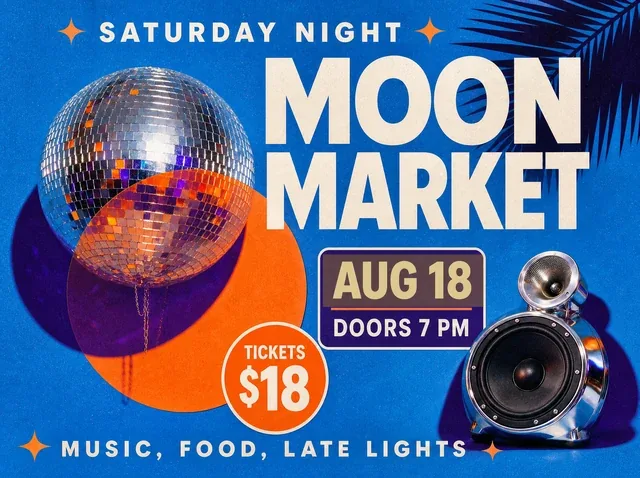
 BeforeSelected text
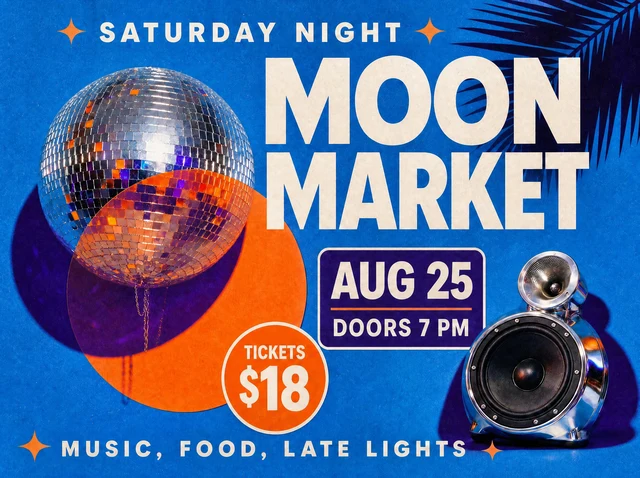 After
AfterReuse an event campaign when the date changes
Move an event date while preserving the event name, ticket price and surrounding poster artwork.
AUG 18AUG 25
Update event dates, schedules and published graphics without rebuilding the original artwork.
For best results, select one word or line at a time and compare the result before publishing.
By clicking Generate, you confirm you own or are licensed to edit this image and the edit is not intended to deceive a third party.
We do not process IDs, official seals, bank statements, or tampered receipts. Acceptable Use.
See how one focused text change keeps the surrounding image stable.
BeforeSelected textAfterMove an event date while preserving the event name, ticket price and surrounding poster artwork.
Upload the finished image, enter the date currently visible and the new date you want.
The editor replaces the date in context and preserves the surrounding layout.
Move an event without redesigning the flyer.
Patch a published timetable or announcement.
Refresh last year’s approved creative.
The editor analyzes the visible typography, color, texture, lighting and perspective, then renders the replacement in context. Always compare the result before publishing.
Upload PNG, JPEG or WebP files up to 10 MB.
Yes. Sign in with Google to receive enough starter credits for your first edit.
Yes, provided you own the source image or have permission to edit and use it.
Upload an image and use your starter credits for the first edit.