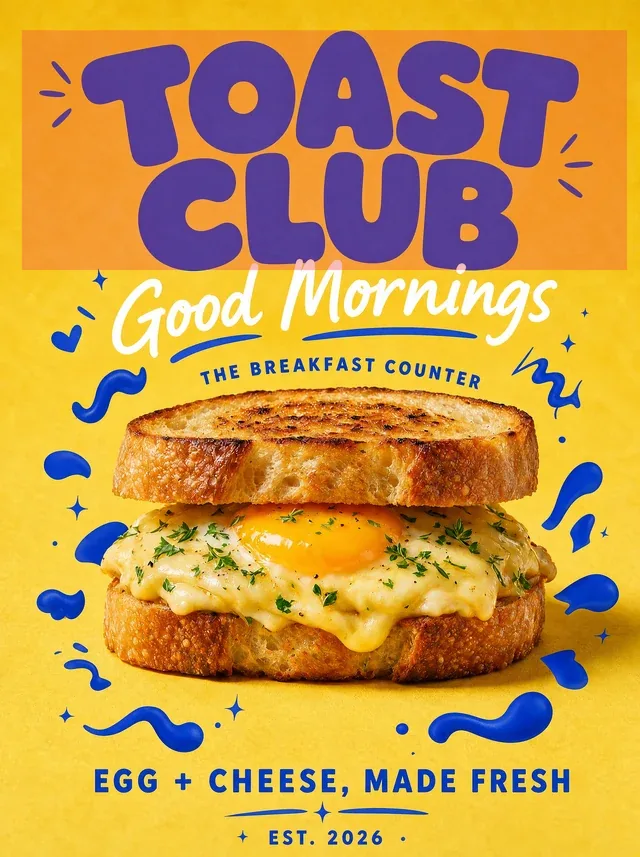
 BeforeSelected text
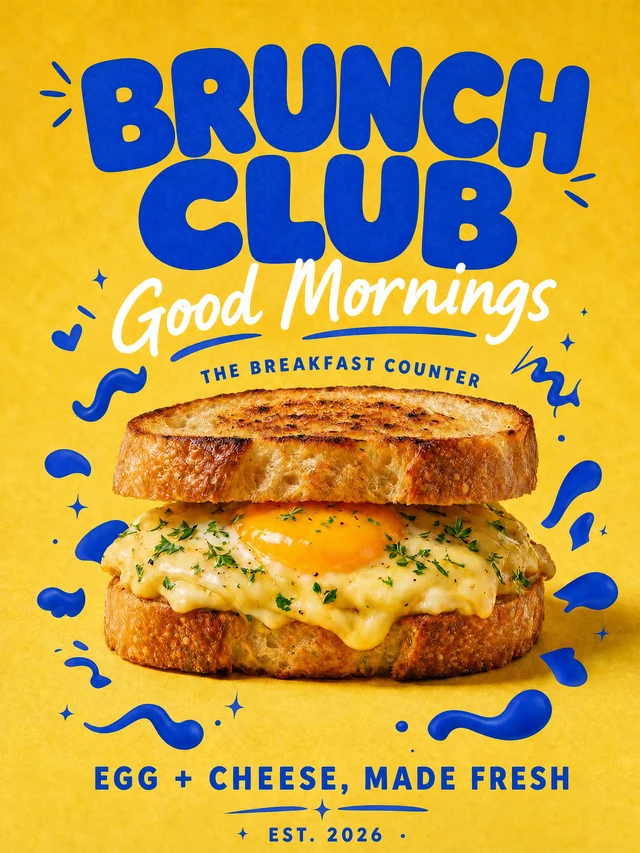 After
AfterRefresh a finished poster without reopening the design file
Change a campaign name while keeping the food photography, display type and hand-drawn details in place.
TOAST CLUBBRUNCH CLUB
Replace headlines, dates, venues and speaker names in a finished poster without reopening the design file.
For best results, select one word or line at a time and compare the result before publishing.
By clicking Generate, you confirm you own or are licensed to edit this image and the edit is not intended to deceive a third party.
We do not process IDs, official seals, bank statements, or tampered receipts. Acceptable Use.
See how one focused text change keeps the surrounding image stable.
BeforeSelected textAfterChange a campaign name while keeping the food photography, display type and hand-drawn details in place.
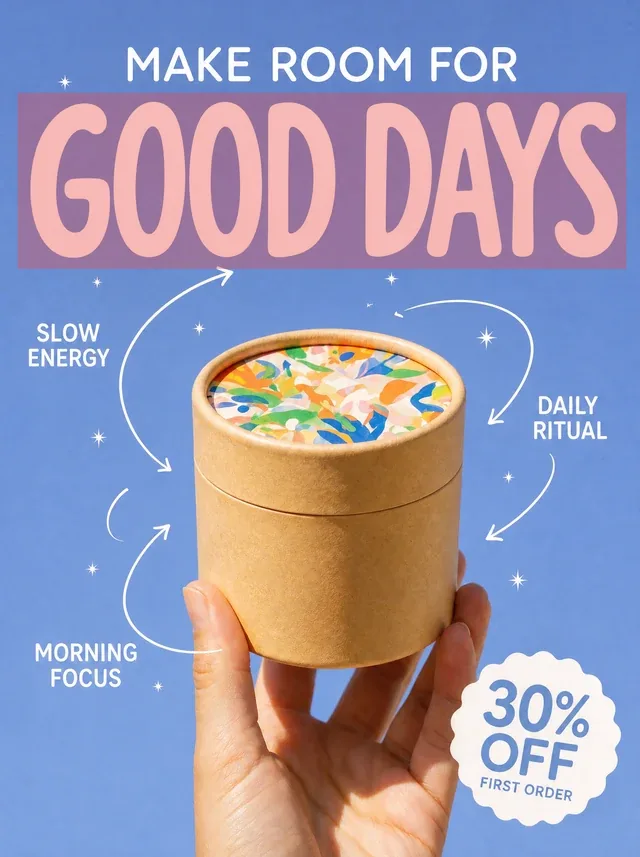 BeforeSelected text
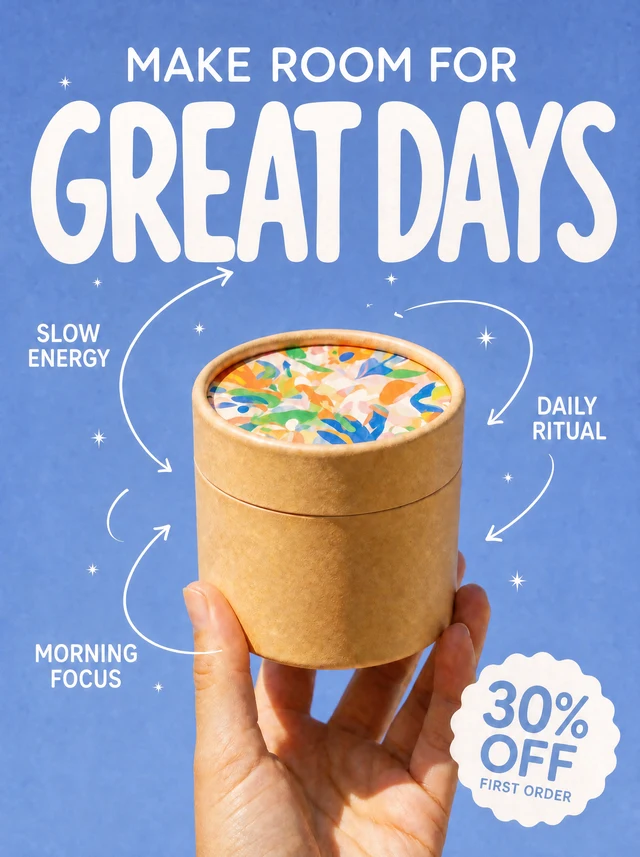 After
AfterKeep the product, benefit callouts, arrows and offer badge in place while testing a clearer message.
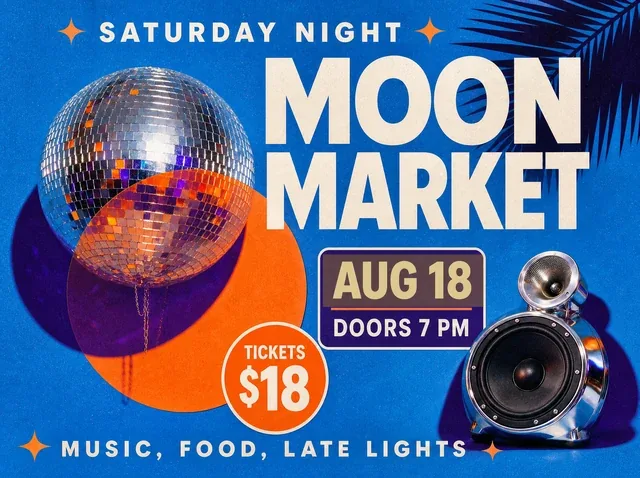 BeforeSelected text
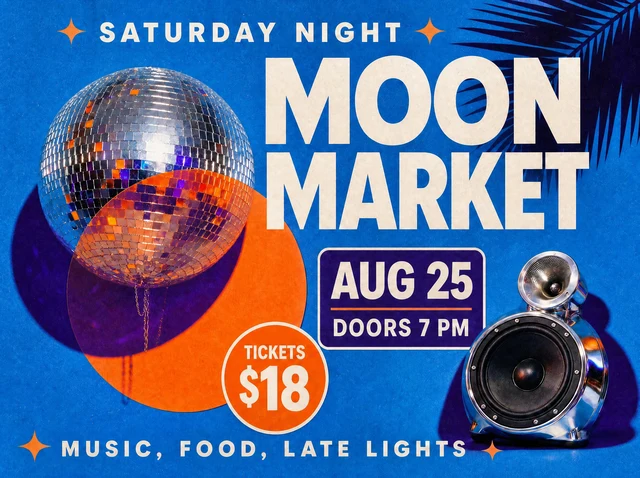 After
AfterMove an event date while preserving the event name, ticket price and surrounding poster artwork.
Posters combine typography, imagery, texture and layout into one flattened image.
The editor changes the selected words while preserving the rest of the composition.
Move an event while keeping the approved creative.
Replace speakers, venues or sponsors.
Create copy variants from one design.
The editor analyzes the visible typography, color, texture, lighting and perspective, then renders the replacement in context. Always compare the result before publishing.
Upload PNG, JPEG or WebP files up to 10 MB.
Yes. Sign in with Google to receive enough starter credits for your first edit.
Yes, provided you own the source image or have permission to edit and use it.
Upload an image and use your starter credits for the first edit.